Getting Started · Step 2 of 5
Blizzard Setup
Create a personal Blizzard API client so WoWidget can retrieve your public World of Warcraft character data.
Before you begin
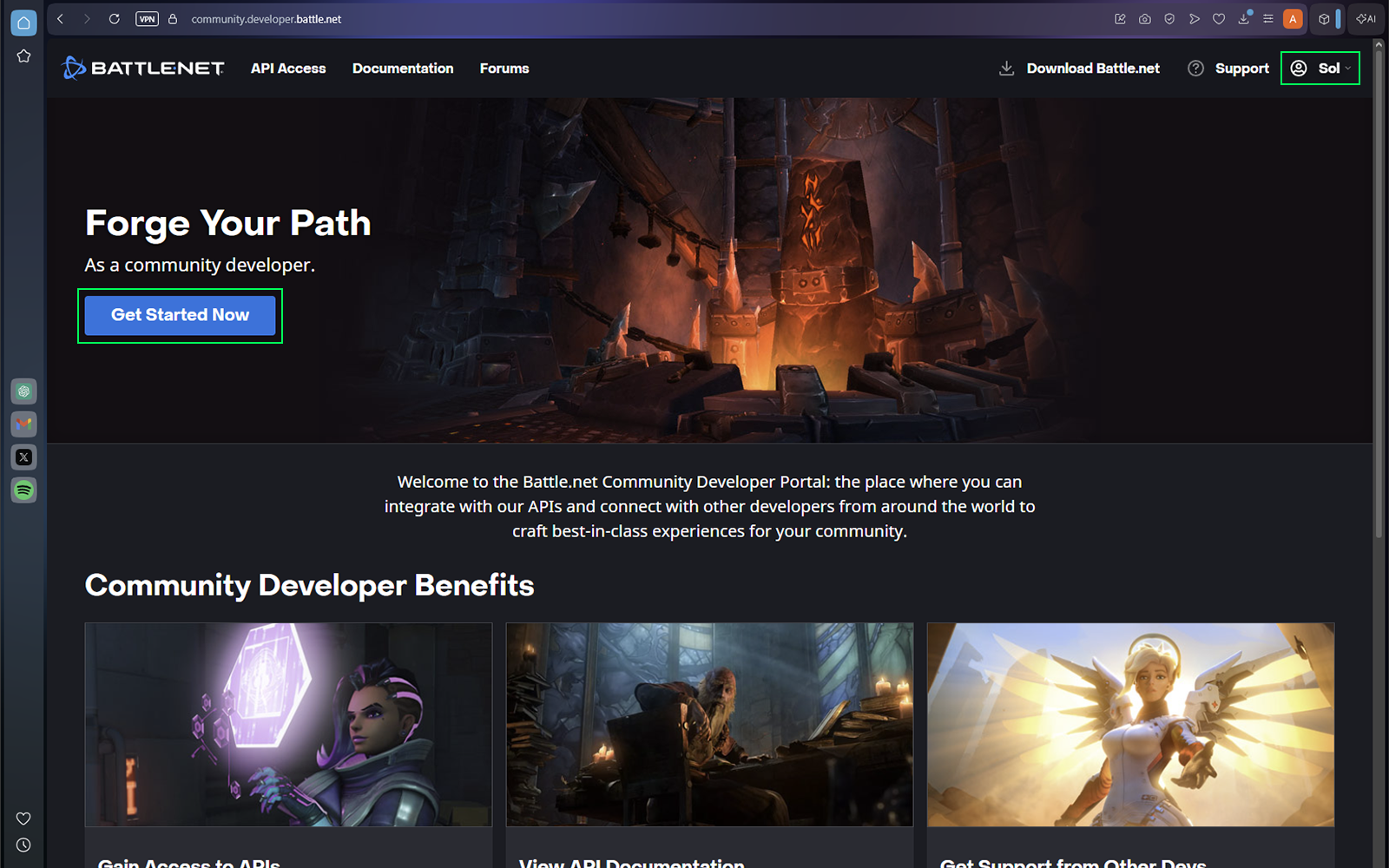
Open the Blizzard Developer Portal and sign in with your Battle.net account. Your API client is personal and should not be shared.
Open Blizzard Setup
After signing in, select Get Started Now.
Create a client
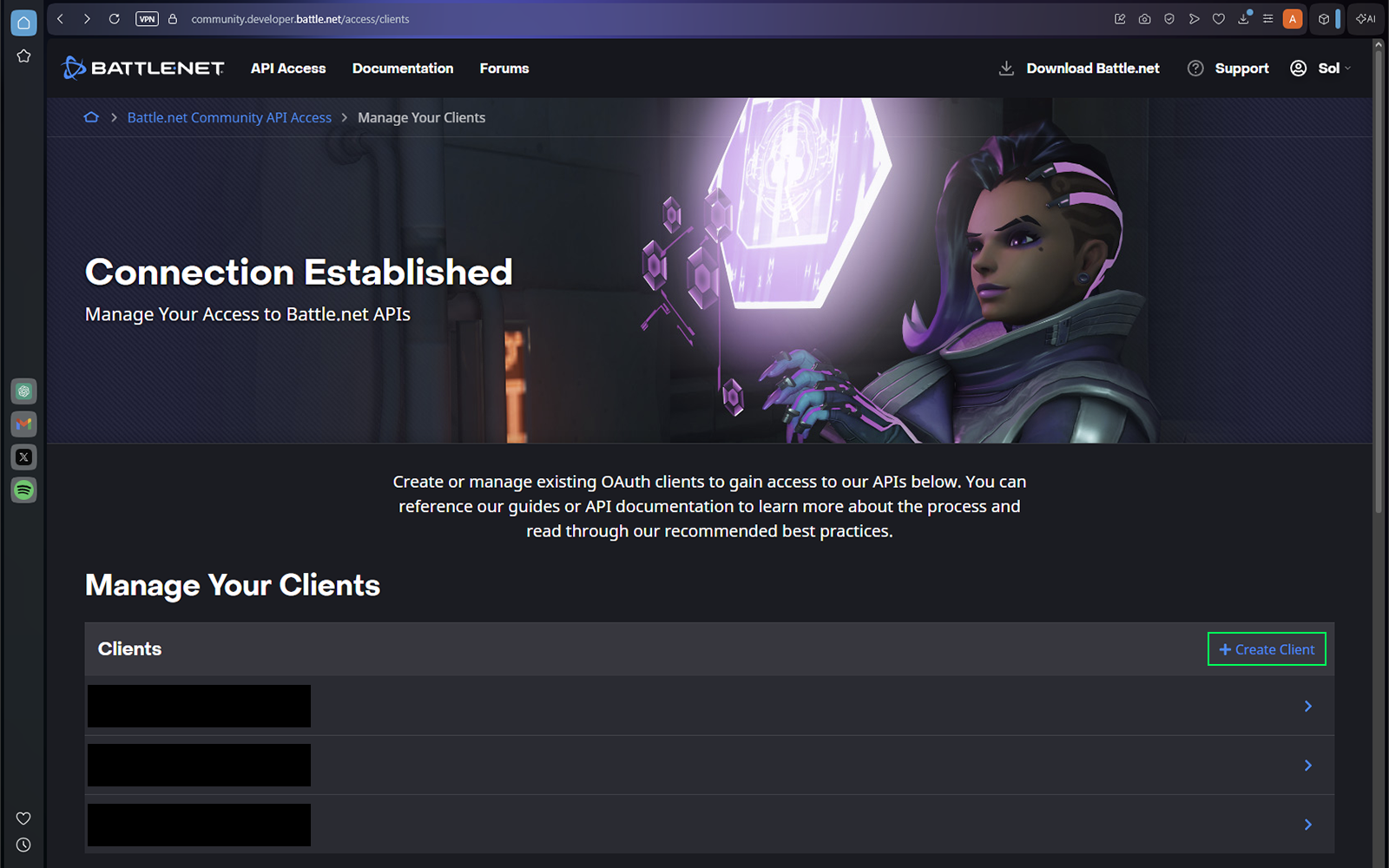
Select Create Client.
Keep the client private
Blizzard developer clients are personal and unique. Do not share the client or its credentials with anyone.
Configure the client
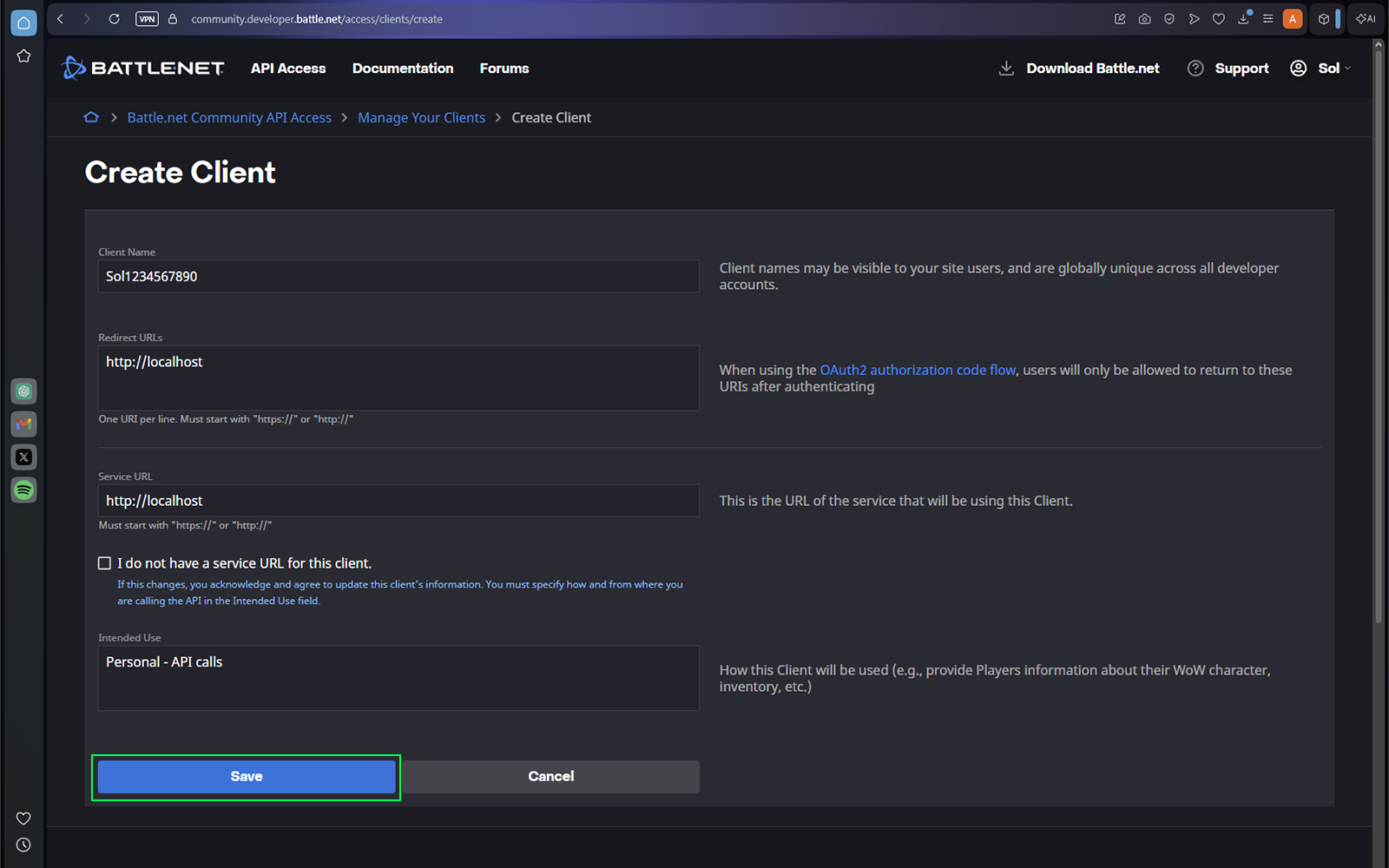
Enter a unique client name. Copy the URL shown below into both Redirect URLs and Service URL, add a short description, and select Save.
http://localhostThe client name can be anything unique. It is not displayed on your Discord widget.
Save your API credentials
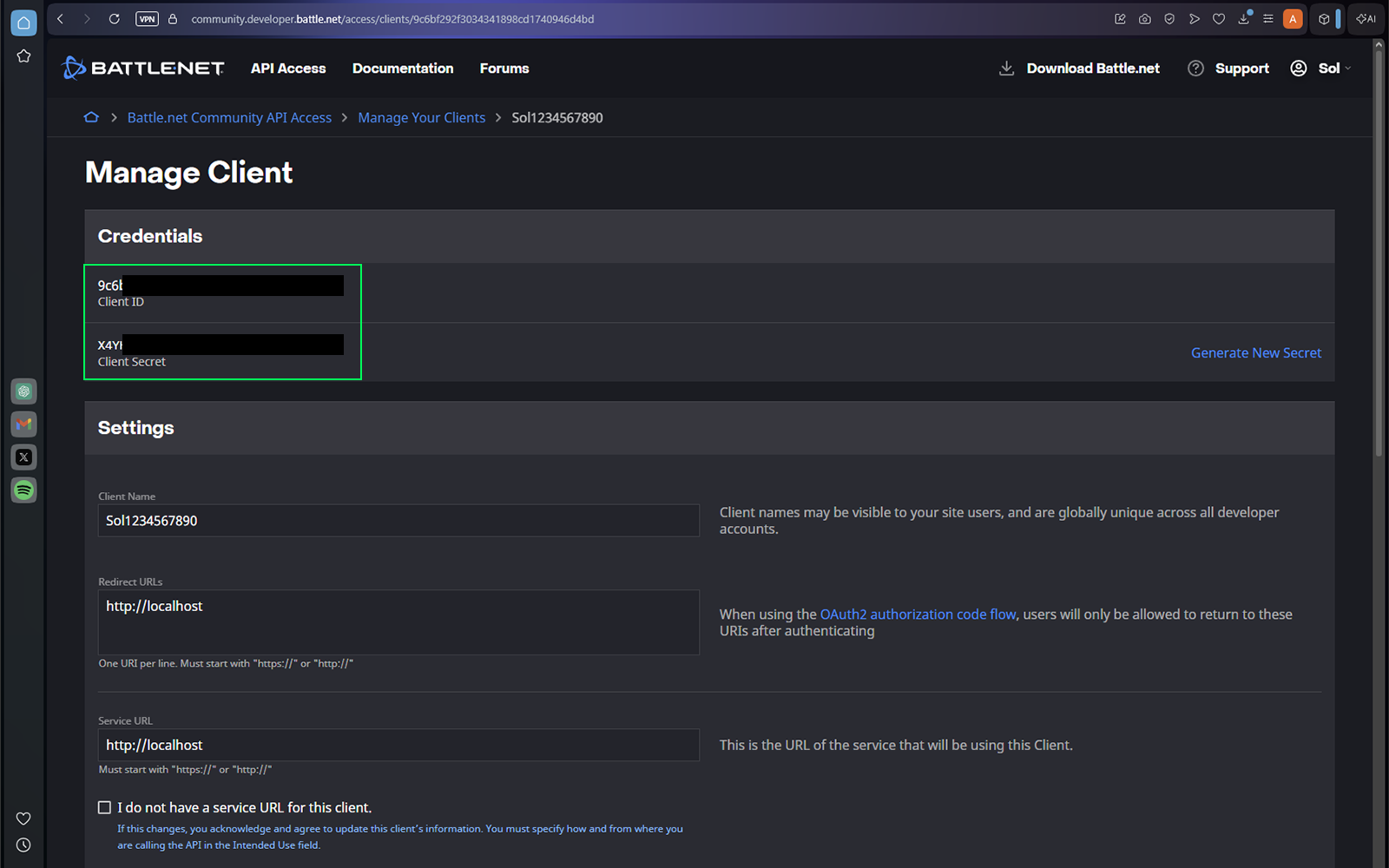
Copy the Client ID and Client Secret into a temporary text file and label each value. You will enter both into WoWidget later.
Never share your Client Secret
Treat the Client Secret like a password. Do not include it in screenshots, support posts, or GitHub commits. WoWidget stores saved credentials in Windows Credential Manager.