Getting Started · Step 4 of 5
Widget Setup
Build the Discord profile widget and connect every visual element to the exact User Data variable that WoWidget updates.
Before you begin
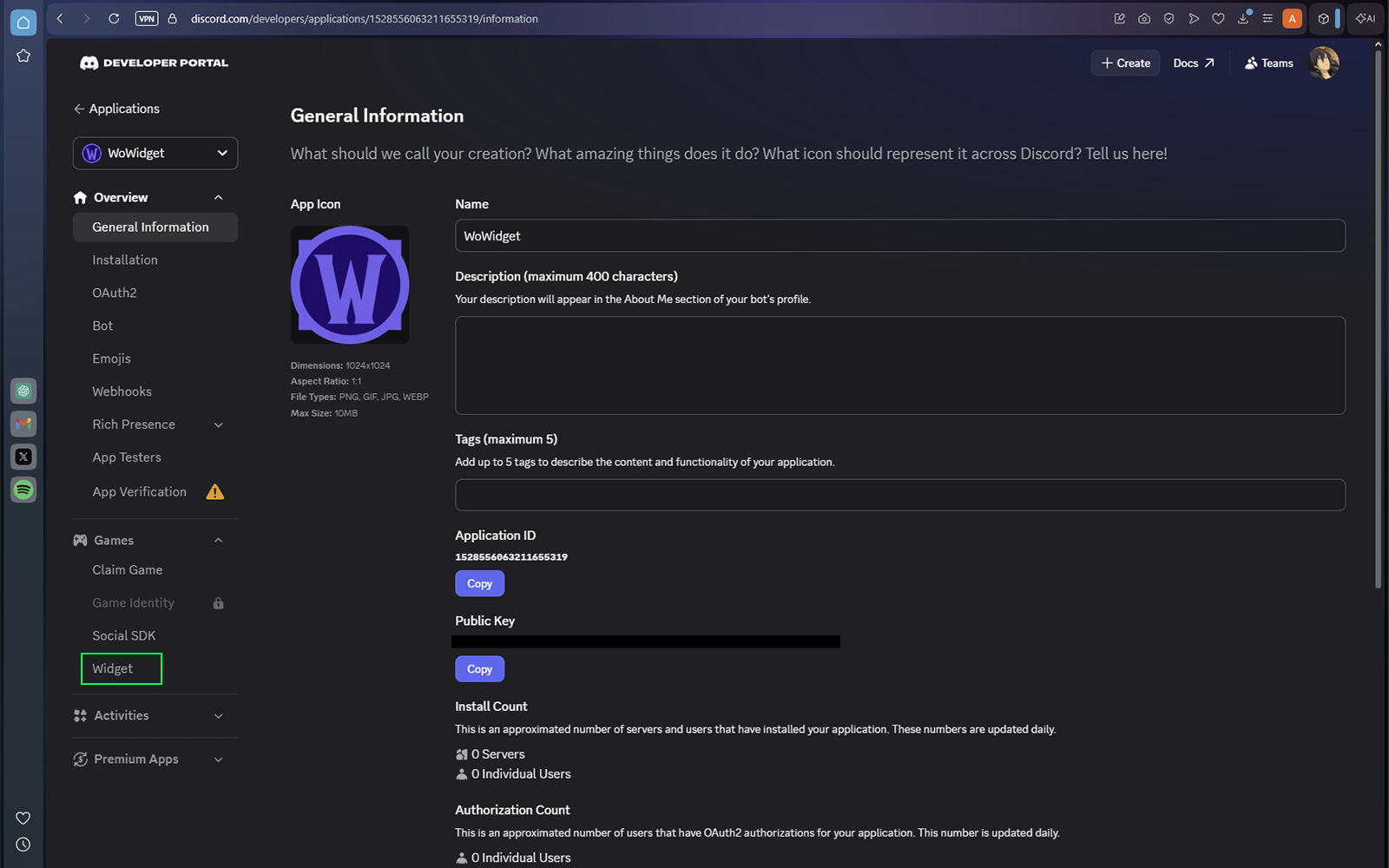
Open your Discord application and select Widget from the Games section. If the Widget tab is missing, repeat Discord Setup, Step 6.
Create the widget
Select Create Widget.
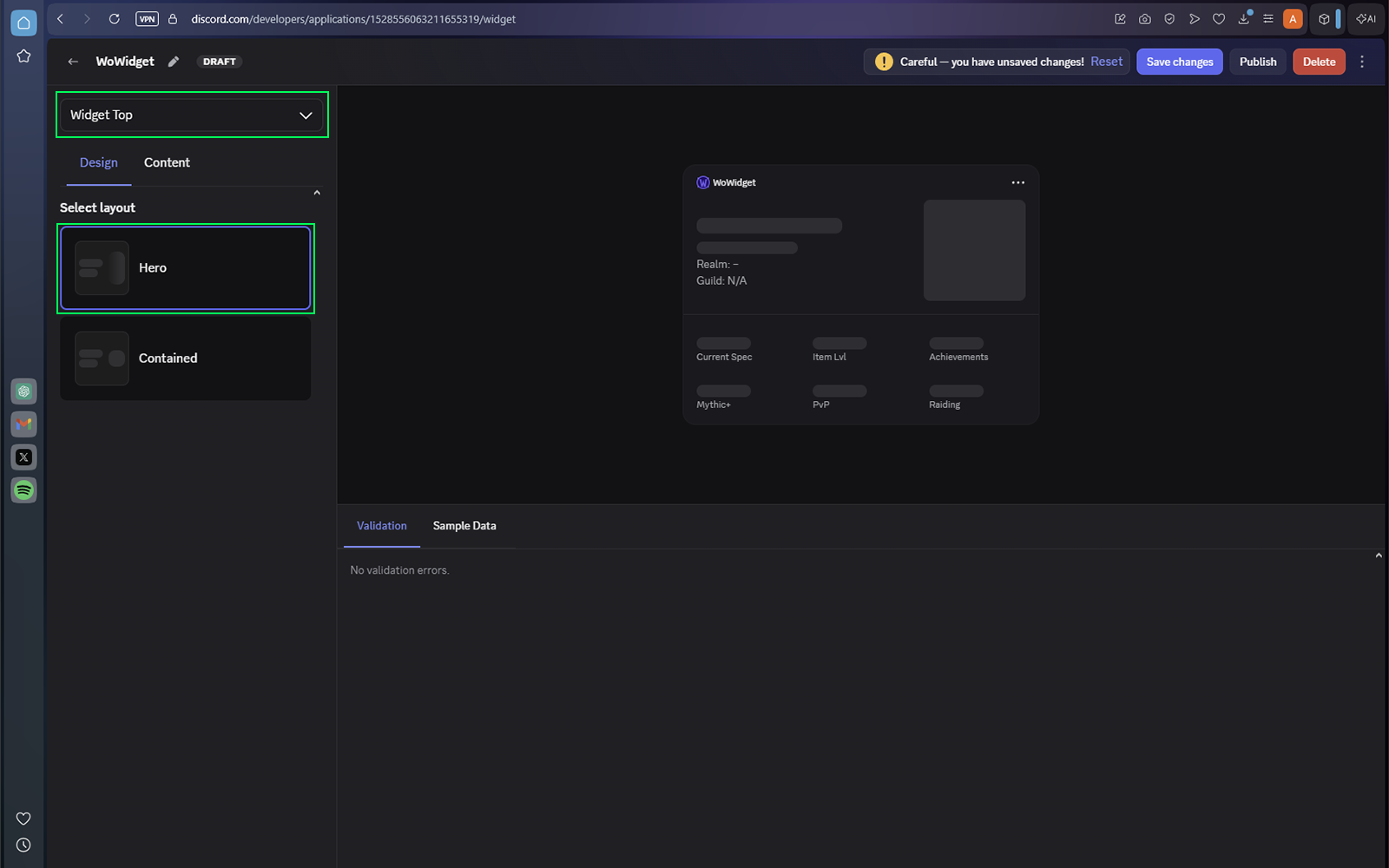
Configure Widget Top
Choose Widget Top from the dropdown, select the Hero layout, and open the Content tab. Hero gives the character model more room and blends it into the widget more naturally than Contained.
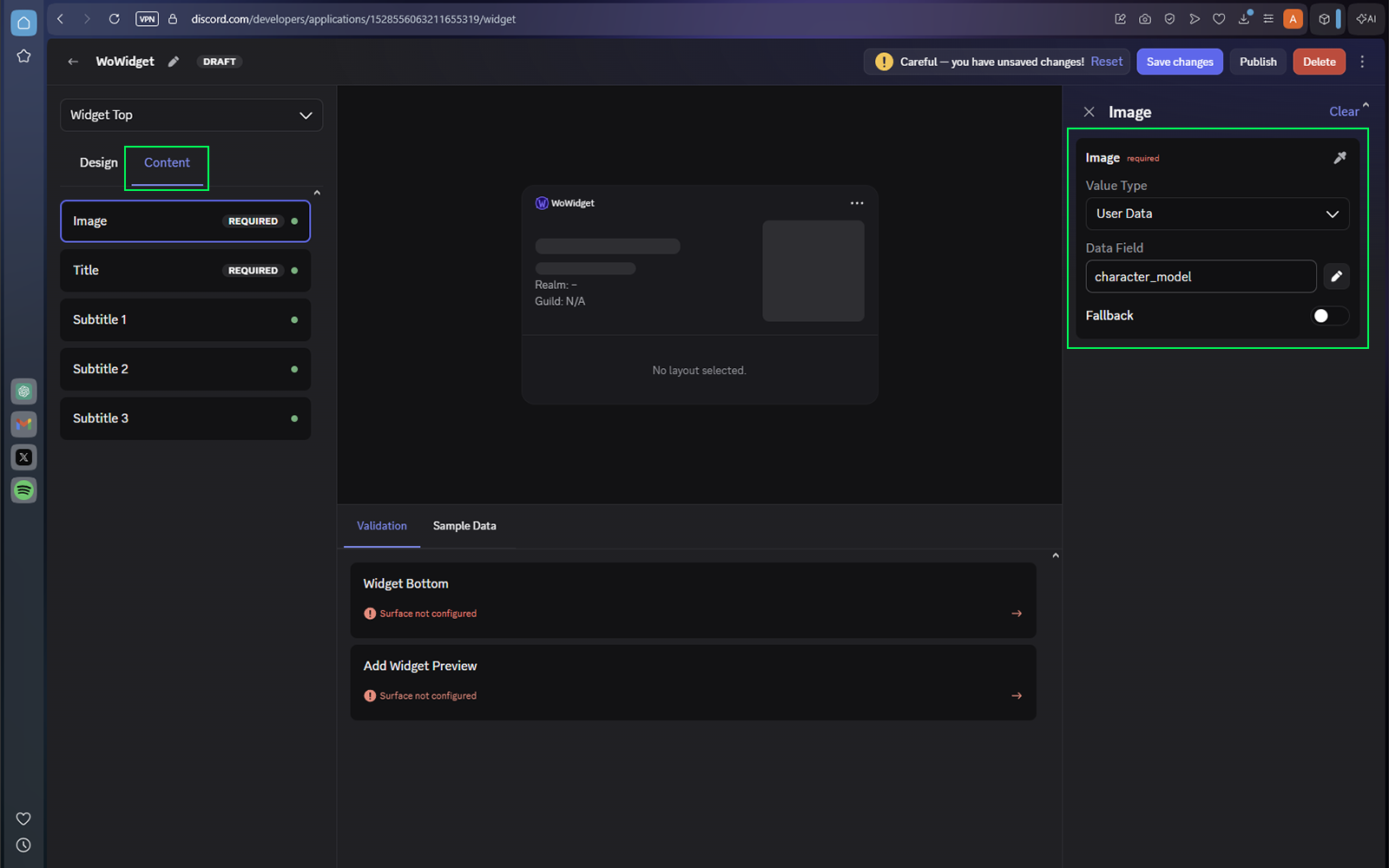
1 · Image
Image| Value Type | User Data |
|---|---|
| Data Field | character_model |
| Fallback | Disabled |
2 · Title
Text| Presentation Type | Text |
|---|---|
| Value Type | User Data |
| Data Field | character_name |
| Fallback | Disabled |
3 · Subtitle 1
Text + Icon| Label | Disabled | Presentation Type | Text |
|---|---|---|---|
| Value Type | User Data | Data Field | race_class |
| Fallback | Disabled | Icon | Enabled |
| Icon Value Type | User Data | Icon Data Field | faction_icon |
4 · Subtitle 2
Label + Text| Label | Enabled | Label Value Type | Custom String |
|---|---|---|---|
| Label Content | Realm | Presentation Type | Text |
| Value Type | User Data | Data Field | realm |
| Fallback | Disabled | Icon | Disabled |
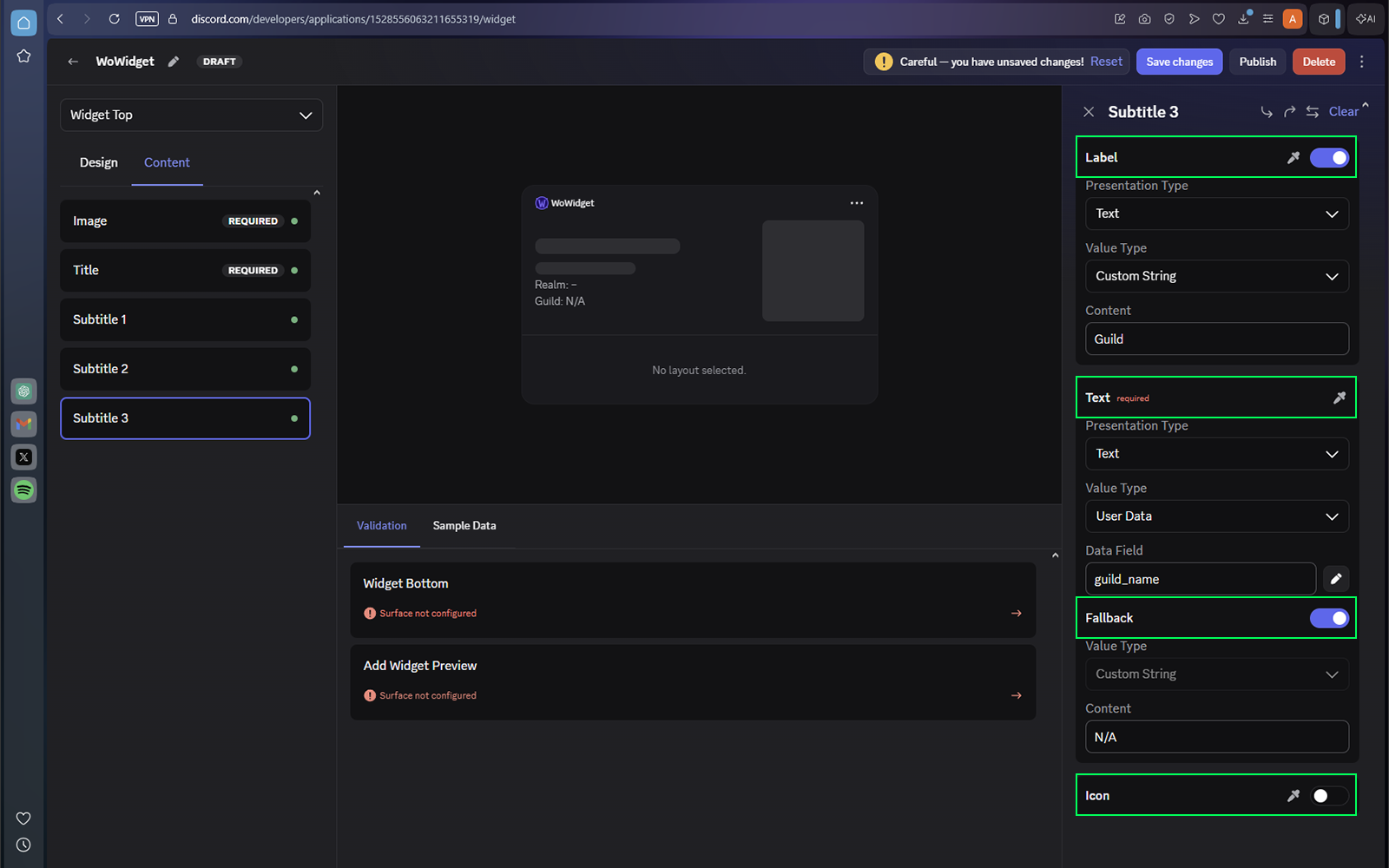
5 · Subtitle 3
Label + Text| Label | Enabled | Label Value Type | Custom String |
|---|---|---|---|
| Label Content | Guild | Presentation Type | Text |
| Value Type | User Data | Data Field | guild |
| Fallback | Enabled — N/A | Icon | Disabled |
Configure Widget Bottom
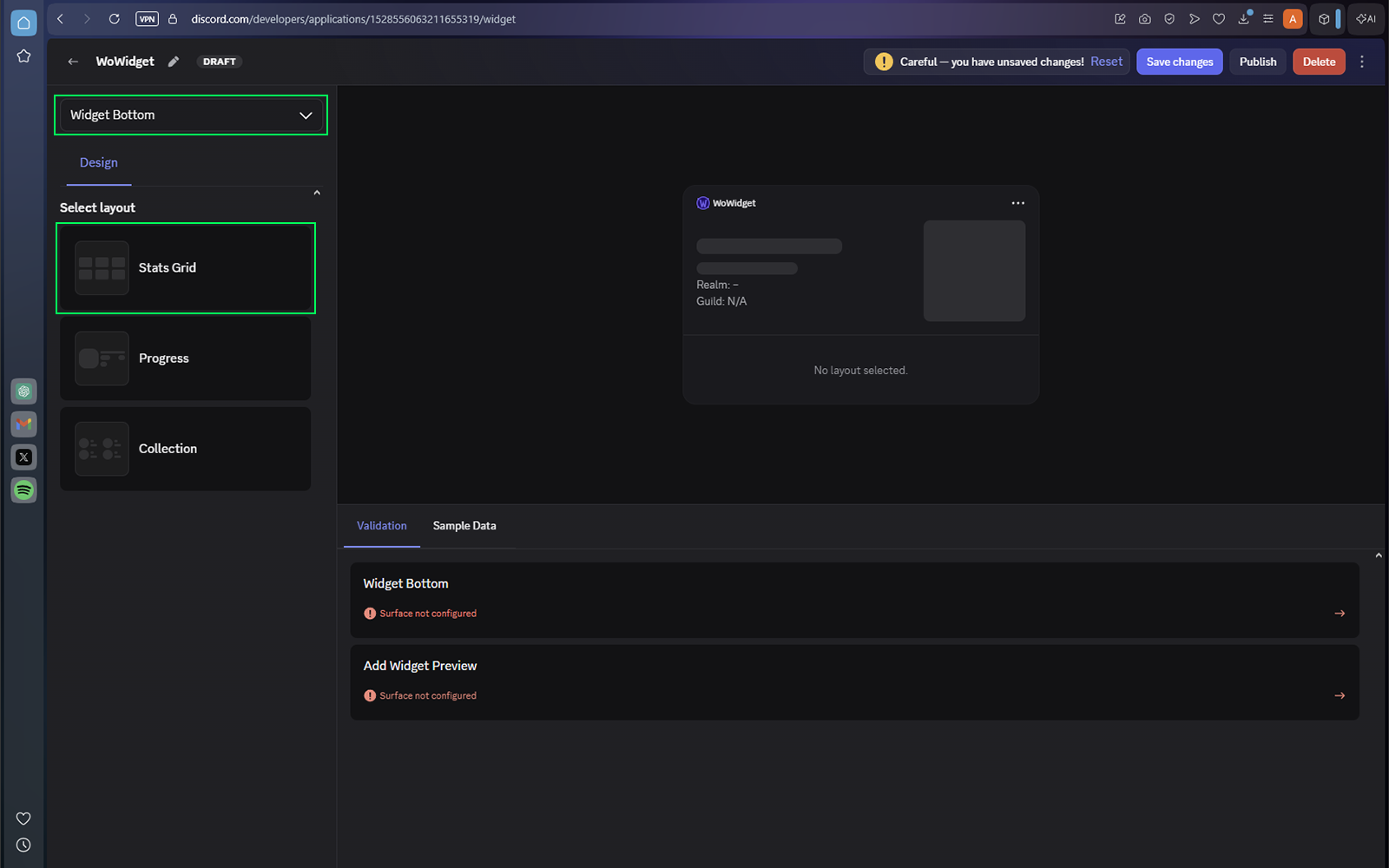
Choose Widget Bottom, select the Stats Grid layout, and open the Content tab. Stat 1 is recommended to be your current spec; slots 2–6 can use any five variables from the table below.
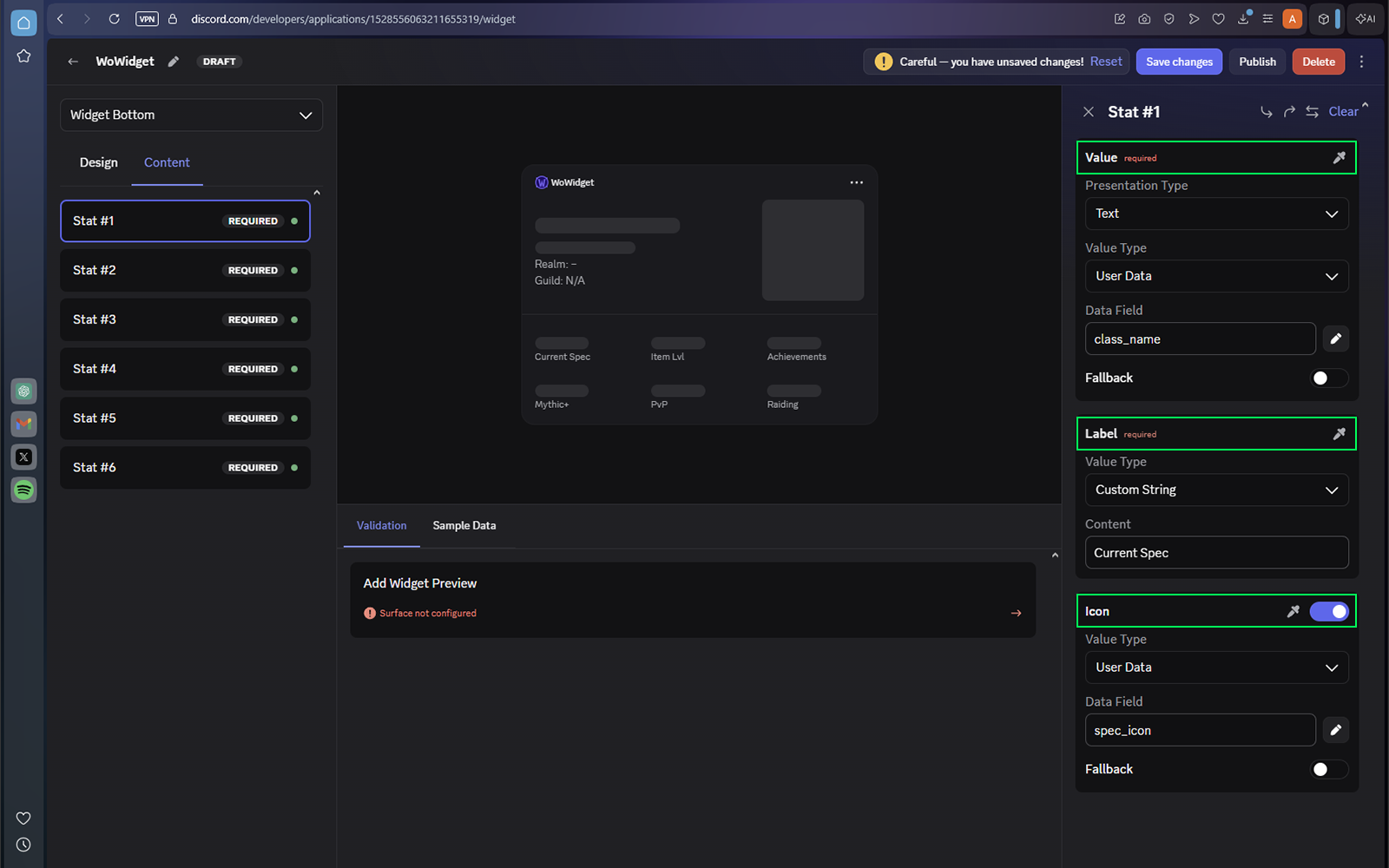
Stat 1 · Current Spec
Required| Presentation Type | Text | Value Type | User Data |
|---|---|---|---|
| Data Field | spec_name | Fallback | Disabled |
| Label | Enabled | Label Value Type | Custom String |
| Label Content | Current Spec | Icon | Enabled |
| Icon Value Type | User Data | Icon Data Field | spec_icon |
Stats 2–6
Choose five optional variables
Match both the Presentation Type and Data Field exactly.
Browse all Widget Variables
Open the categorized variable reference in a new tab, copy the five Data Fields you want to use, then return here to finish the Stats Grid.
Add Widget Preview
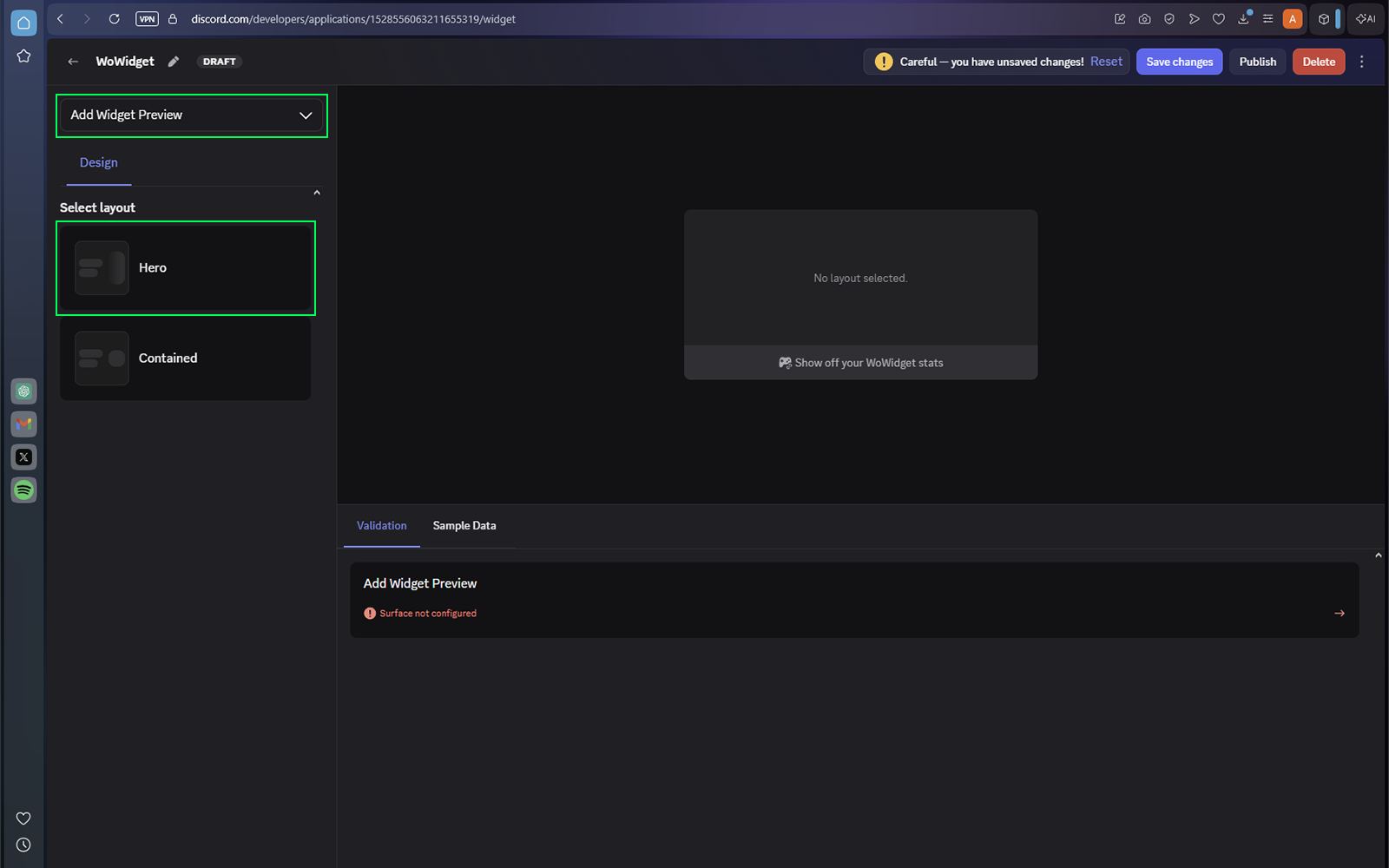
Choose Add Widget Preview, select the Hero layout, and configure Image using the same character_model User Data variable used in Widget Top.
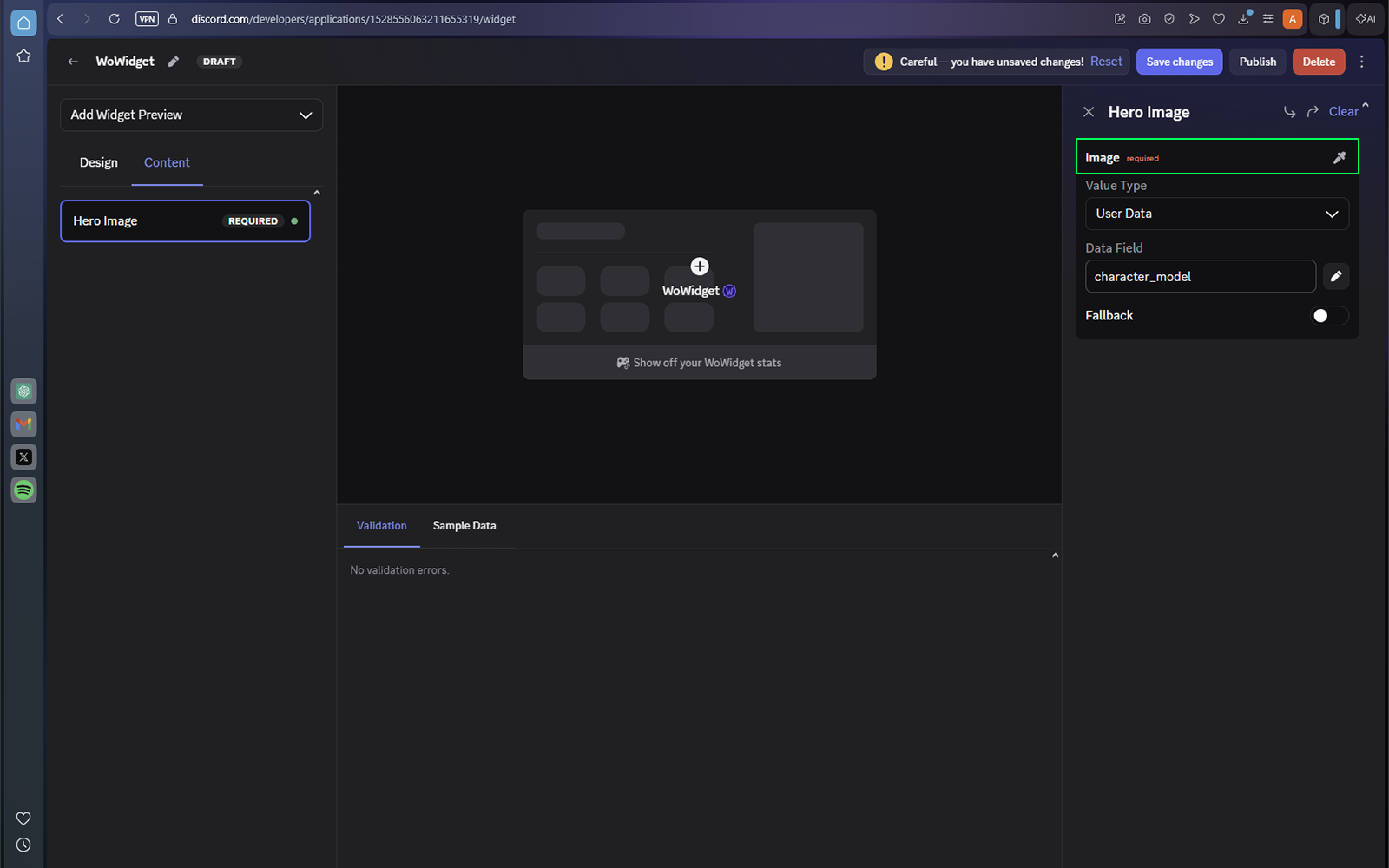
character_model for the Hero preview image.Configure Mini Profile (optional)
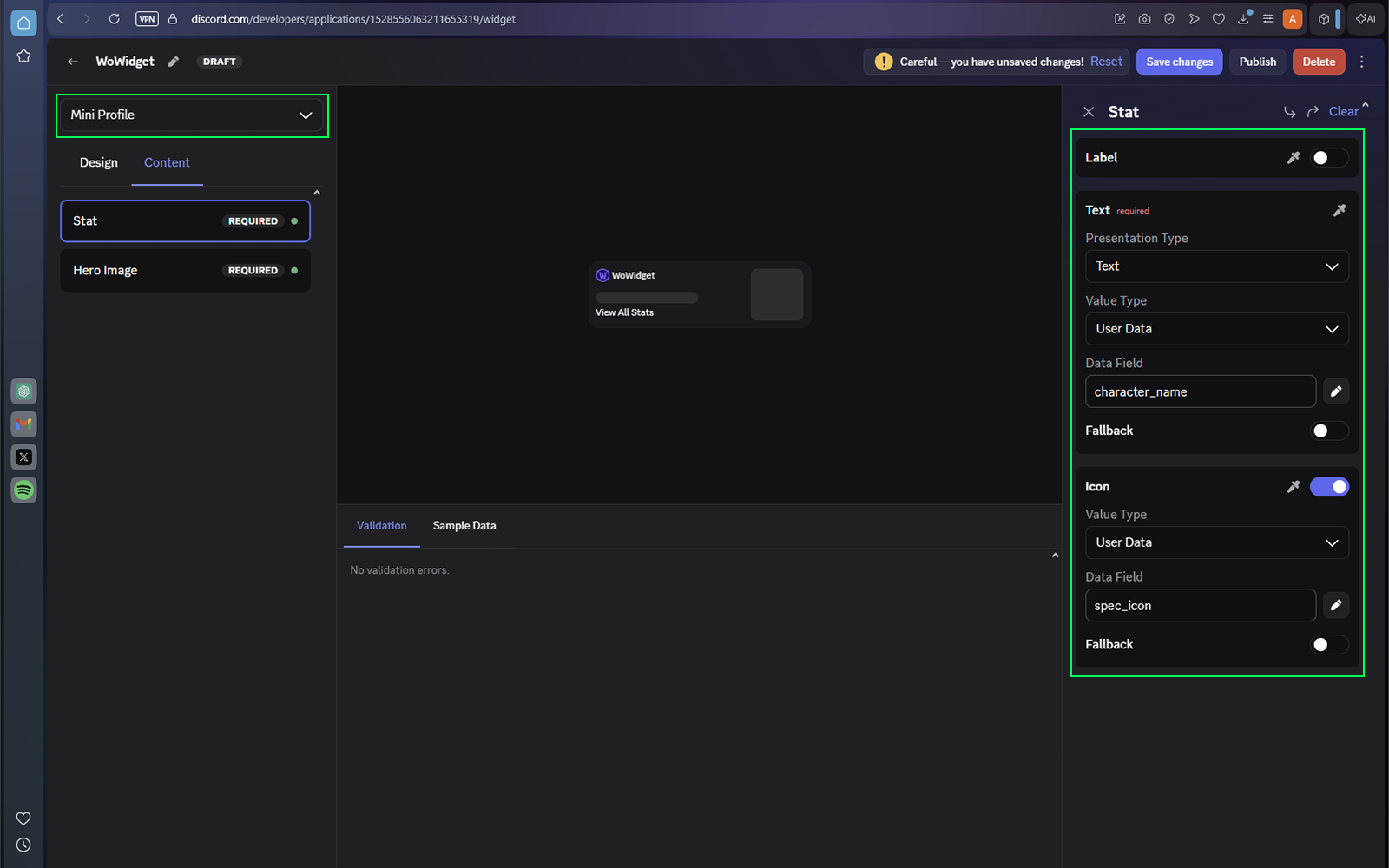
Enable the compact widget shown on your profile card in servers. The recommended setup is your character name as the stat, either faction_icon or spec_icon as the icon, and character_model as the image.
Save and publish
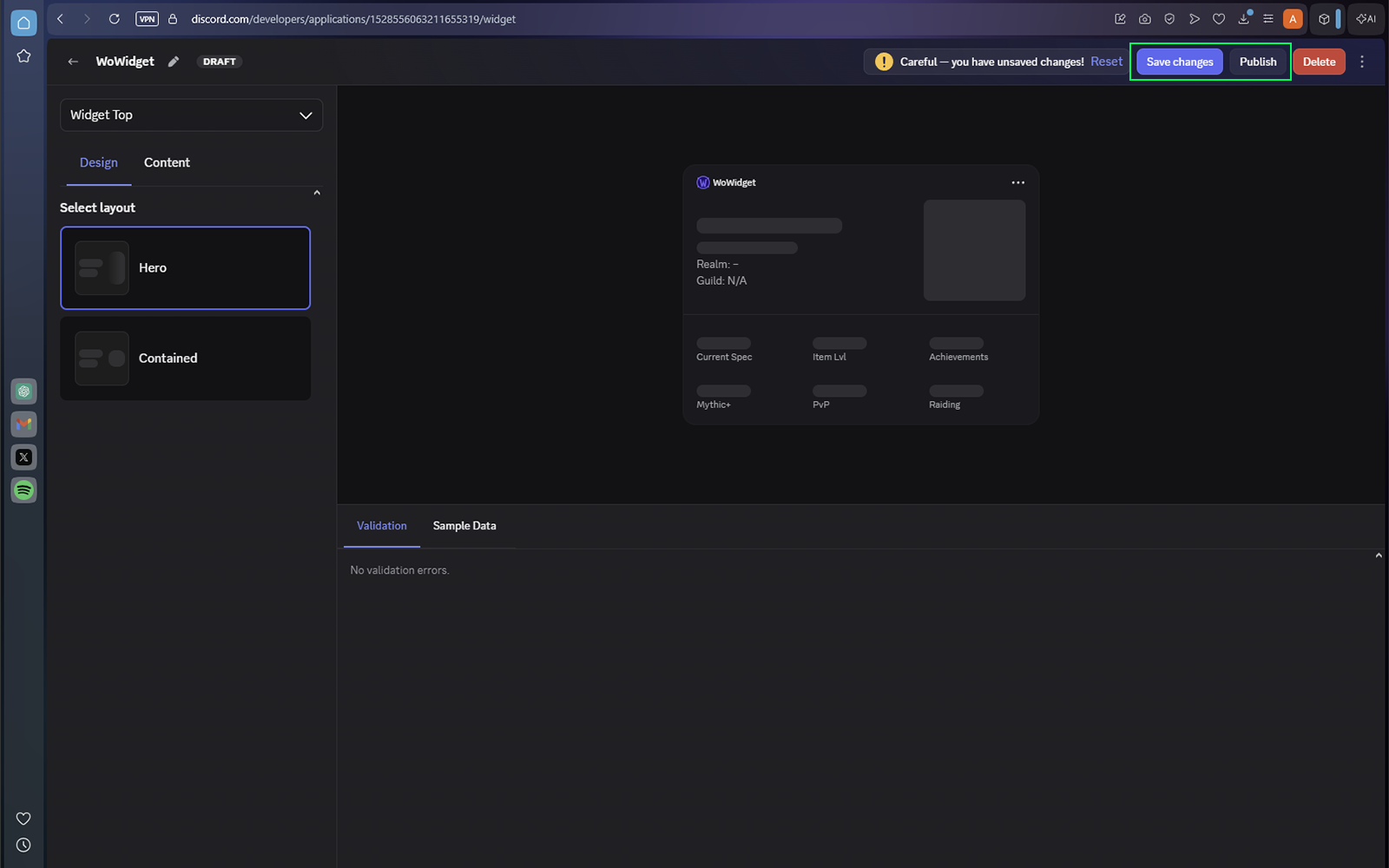
Select Save Changes in the upper-right corner, then select Publish.
Enable Developer Mode
If you followed these steps and still can't add the widget to your Discord profile, make sure you have Devloper Mode enabled in your discord settings. Because these features are considered 'Experimental', the developer mode must be enabled to use them.